
 Paul L.
For kanji in a fixed, cumulative order, WaniKani is built for exactly that. For grammar drilled point by point, Bunpro is built specifically for that. Renshuu bundles vocabulary, grammar and kanji into one gamified app; Anki hands you full control over a flashcard deck, including ones other learners already built for Japanese; Duolingo is a free on-ramp for a beginner; Memrise adds native-speaker video and conversation practice. Watch Your Language does not teach any of that — it keeps vocabulary already met in view, kanji or kana next to a romanised reading, on the iPhone and Apple Watch, with no lesson to open.
Key takeaways
- Match the tool to the job: WaniKani for kanji in a fixed order, Bunpro for grammar, Renshuu for all three, Anki for a custom deck, Duolingo to start free.
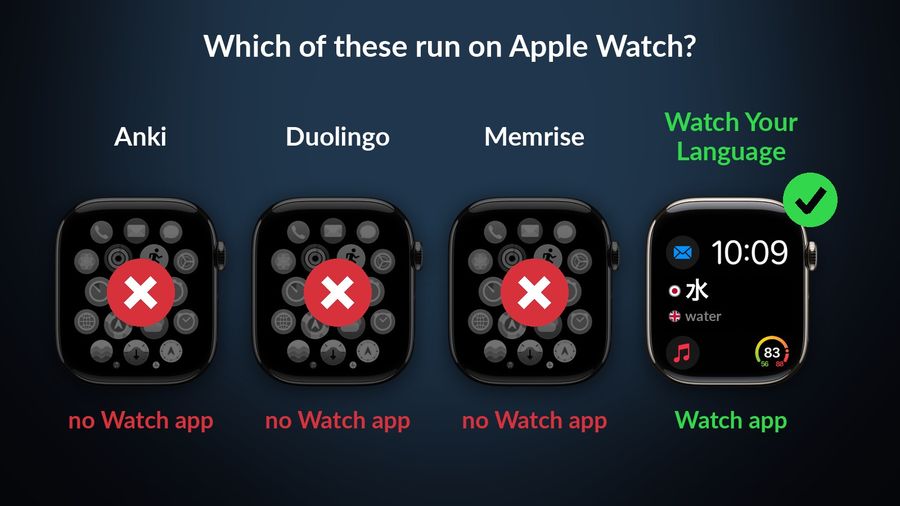
- WaniKani has no official iPhone app, and Anki, Duolingo and Memrise list no Apple Watch app.
- Watch Your Language pairs kanji or kana with a romanised reading on Lock Screen and watch face, but teaches no grammar or kanji; use it alongside a main method.
How we chose
We compared what each app offers, from its own site and App Store listing, in September 2026: what it teaches, which platforms it runs on, and how it prices access. This is a comparison of public information, not a hands-on trial, so every claim below links to the page it came from.
WaniKani
Who it is for: beginners through intermediate learners who want kanji taught in a fixed, cumulative order, one level unlocking the next.
What it does well: WaniKani says it teaches over 2,000 kanji, "hand-picked and cleverly ordered", plus over 6,000 Japanese vocabulary words, taught through mnemonics and a spaced repetition system that adjusts the review interval for each item individually.
What it lacks: a native iPhone app — WaniKani's own knowledge base says it has no official iOS app, pointing iPhone users to third-party apps instead. Access is USD 9 a month, USD 89 a year, or USD 299 for lifetime access.
Bunpro (grammar-focused)
Who it is for: learners who already have some vocabulary and want Japanese grammar explained and drilled point by point — grammar is Bunpro's core, with vocabulary decks studied alongside it.
What it does well: Bunpro's App Store listing describes over 900 grammar points with explanations, more than 100,000 hand-written example sentences with audio, and 25 JLPT practice tests, and its pricing page lists graded reading passages as well. The app runs on iPhone, iPad, Mac with Apple silicon, and Apple Vision.
What it lacks: reviews on the free plan — the free plan only views grammar and vocab pages; the spaced-repetition reviews sit behind Premium, which that page lists at USD 5 a month or USD 150 once for lifetime access, after a 30-day free trial with no card required. On the US App Store, in-app purchases are listed at $6.49, $64.99 and $194.99.
Renshuu
Who it is for: learners who want vocabulary, grammar and kanji together in one app, kept varied with games rather than a single drill format.
What it does well: a Japanese-English vocabulary dictionary, a kanji dictionary filtered by school grade and JLPT level, and a grammar dictionary, with, its App Store listing says, over 15,000 native-recorded audio files for vocabulary, plus example sentences, listening practice, manga-based reading and word games such as crosswords built into the same app.
What it lacks: a single fixed course — its own site offers paths by textbook or JLPT level, plus user-made lessons, so choosing one is down to you. Its App Store listing says the free version is unlimited, with no timer, and lists renshuu pro in-app purchases from $3.99 on the US App Store.
Anki (with shared decks)
Who it is for: learners who want one large, fully personal deck, and who are comfortable either building it themselves or downloading one someone else already built.
What it does well: the desktop app is free on Windows, macOS and Linux, and AnkiDroid on Android is also free, syncing through AnkiWeb; AnkiMobile on iPhone and iPad is a one-time USD 24.99 purchase on the US App Store, not a subscription. AnkiWeb's shared-deck library also holds Japanese decks other learners have already built and shared, such as Core 2000/6000-style vocabulary sets, browsable at ankiweb.net/shared/decks and ready to download into the app.
What it lacks: any teaching of its own — Anki is a card format and a review schedule, not a course, so choosing a good Japanese deck is still down to you, and AnkiMobile's compatibility section lists iPhone, iPad, Mac and Apple Vision, with no Apple Watch app.
Duolingo Japanese
Who it is for: a complete beginner who wants a free, gamified way to start without deciding what to study first.
What it does well: short, bite-sized lessons, gamified with an "energy" system on mobile rather than the hearts that remain on the web version, and Explain My Answer, free for everyone since 1 January 2026 in courses including Japanese, giving a short grammar note on an answer.
What it lacks: an Apple Watch app — its listing shows compatibility with iPhone, iPad and Apple Vision only. Super Duolingo, its paid tier, is listed from $9.99 on the US App Store.
Memrise
Who it is for: learners who want to hear Japanese spoken naturally and practise a conversation, and who are willing to start in romaji if kana feels too early.
What it does well: real native-speaker video clips and AI-powered conversation practice, and — unusually among these apps, a separate "Japanese (no script)" course alongside the standard kanji-based one, so a complete beginner can start without learning kana first.
What it lacks: an Apple Watch app — its App Store compatibility section lists iPhone, iPad and Apple Vision only. Memrise is free to start, with a paid plan that unlocks extra features; pricing varies by offer and region, so check the App Store in your country before subscribing.
Watch Your Language
Who it is for: someone already using one or more of the apps above, who wants the vocabulary from a lesson to keep coming back afterward, without opening another app to review it.
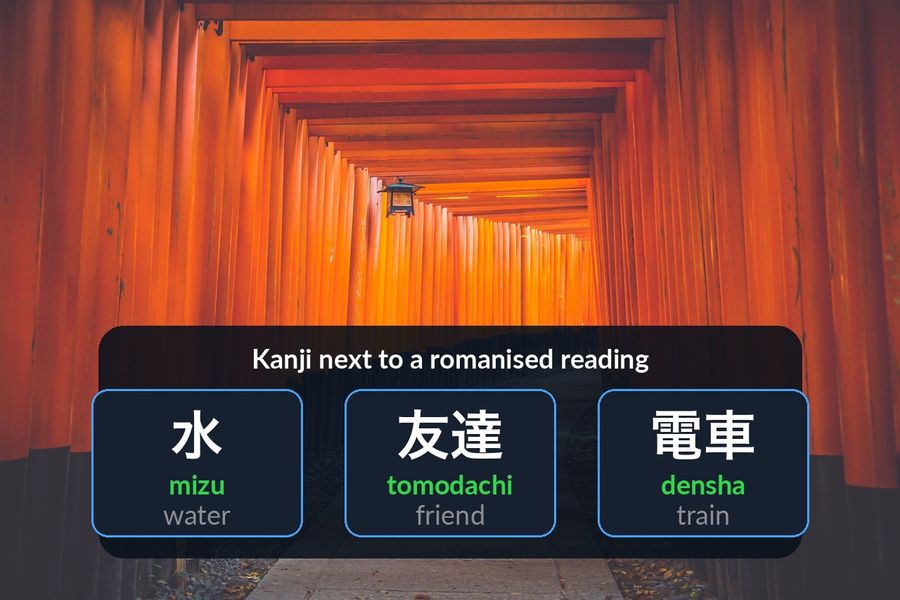
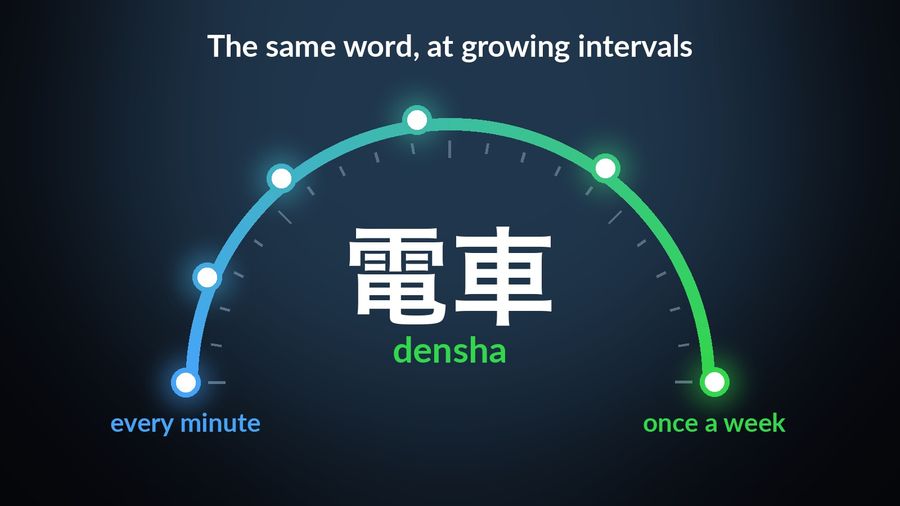
What it does well: it shows Japanese words — pre-made packs or your own — in iPhone Lock Screen and Home Screen widgets, iPad widgets, and Apple Watch complications, each paired with a romanised reading next to the kanji or kana. Its Basics pack, for example, shows 水 with the reading mizu ("water"), 友達 with tomodachi ("friend"), and 電車 with densha ("train"). Spaced repetition decides which word to bring back next, at an interval you choose, from every minute to once a week.
What it lacks: any of the teaching above. It does not explain grammar, break down a kanji's components, or correct your pronunciation — for that, WaniKani, Bunpro, Renshuu or Memrise is the better fit. It is free to start with pre-made packs; a Premium subscription unlocks the rest, along with unlimited custom words.
How the six compare
| App | Focus | Platforms | Price |
|---|---|---|---|
| WaniKani | Kanji and vocabulary, mnemonics + SRS | Web (no official iPhone app) | $9/mo, $89/yr, or $299 lifetime |
| Bunpro | Grammar, with reading and vocabulary decks | Web, iPhone, iPad, Mac, Vision | Free (view only); Premium from $5/mo on its site |
| Renshuu | Vocabulary, grammar and kanji, gamified | Web, iPhone, iPad, Mac, Vision | Free (unlimited); Pro from $3.99 (US App Store) |
| Anki / AnkiMobile | Flashcards; shared Japanese decks available | Windows, macOS, Linux, iOS, Android | Desktop/Android free; AnkiMobile $24.99 one-time |
| Duolingo | Gamified daily lessons | iPhone, iPad, Apple Vision (no Watch) | Free; Super Duolingo from $9.99 (US App Store) |
| Memrise | Native-speaker video, AI conversation | iPhone, iPad, Apple Vision (no Watch) | Free to start; paid plan for the rest |
| Watch Your Language | Passive vocabulary review, no lesson | iPhone, iPad widgets, Apple Watch | Free to start; Premium unlocks all packs |
Which one to pick
- WaniKani if reading kanji, in a set order, is the goal.
- Bunpro if grammar is what's actually holding your sentences back.
- Renshuu if you want vocabulary, grammar and kanji together, without switching apps for each.
- Anki if you already think in flashcards and want a deck — your own, or one built by another learner — that you fully control.
- Duolingo if you are just starting and want something free and structured to open every day.
- Memrise if hearing native speech, or starting without kana, matters more than a large personal deck.
Pick Watch Your Language alongside whichever of those you choose — not instead of it — if last week's lesson has already faded by this week. It is worth working out how much vocabulary a given level of Japanese actually needs and which order to learn hiragana, katakana and kanji in before choosing a tool to fill it with. You can also browse a free Japanese word list by topic or test your current vocabulary level first.
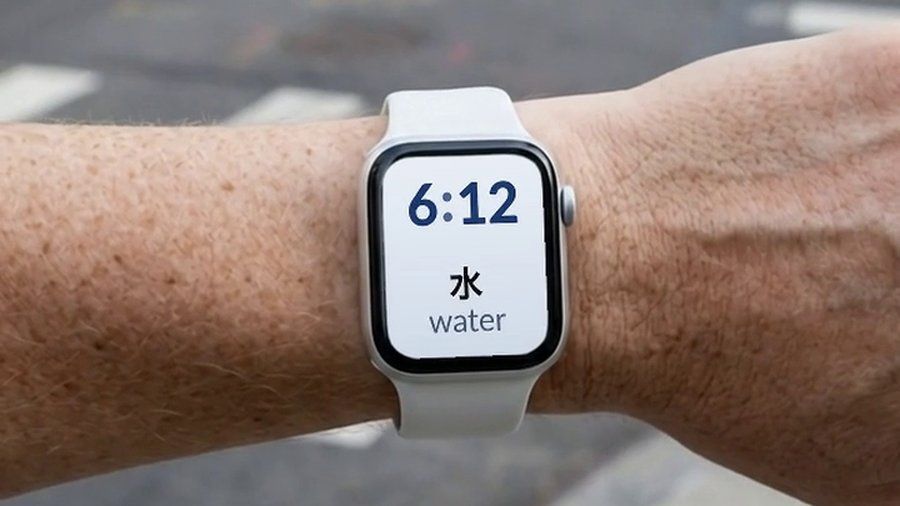

Watch Your Language is not a kanji trainer or a grammar course: it shows Japanese words, from its pre-made packs or, with Premium, your own list, in widgets on the iPhone and in Apple Watch complications, each paired with a romanised reading, and schedules which word appears next using spaced repetition. It suits a reader who already has a primary study method and wants today's vocabulary to keep surfacing without opening another app — not someone looking for their first structured lesson.